Blog
Event-Driven Email Automation: Triggering Real-Time Workflows from User Actions
Harness the power of event-driven email automation to send highly relevant, timely messages based on user actions. Explore architecture, use cases, and best
> TL;DR: Event-driven email automation triggers hyper-relevant messages immediately when user actions occur in your app, website, or backend system—rather than relying on static time delays. By pairing real-time API webhooks, behavioral event payloads, and automated validation filters, modern teams deliver personalized messages with up to 4x higher open rates and 6x higher conversions than traditional scheduled broadcasts.
In digital marketing, timing is everything. A subscriber who completes a purchase, abandons a onboarding form, or reaches an account usage threshold expects an immediate, context-aware notification. When email messaging lags by hours—or relies on slow batch syncs—engagement plummets and customer trust erodes.
Event-driven email automation solves this timing gap by turning real-time system events into instant messaging triggers. Instead of waiting for a nightly database export or a rigid 24-hour drip timer, your application broadcasts event payloads (such as user.signup, cart.item_added, or tier.upgraded) directly to your email automation engine.
Last updated: July 2026
What Is Event-Driven Email Automation?
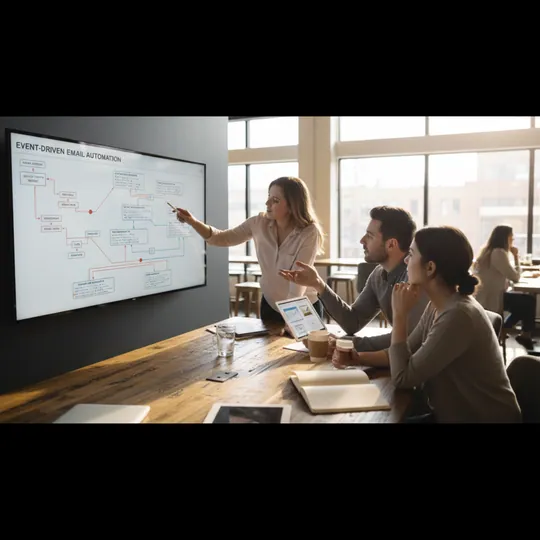
Event-driven email automation is an architectural approach where individual marketing or transactional emails are dispatched instantly in response to specific digital actions—termed "events"—performed by a user or system. Unlike traditional scheduled email marketing, which broadcasts messages to static subscriber lists at predetermined dates, event-driven systems operate on a real-time reactive model.
When a user interacts with your digital ecosystem—whether clicking a button, completing a checkout step, or suffering an authentication failure—your application generates an event payload. This payload contains structured JSON metadata describing who performed the action, what exact parameters were involved, and when the activity occurred. An automation engine like Sendgrove ingests these events via webhooks or API endpoints, evaluates predefined workflow rules, and immediately fires personalized messages across the customer journey.
- Topic: JSON Payload User / Web App
- Details: → Event Ingestion API (Action Occurs)
user.signed_up(Validation Filter) v Delivered Email Inbox / Customer → ------------------…
The Shift from Time-Based Drips to Behavioral Triggers
Traditional email drip campaigns rely on calendar time. For example, a standard onboarding drip sends Email #1 on Day 0, Email #2 on Day 3, and Email #3 on Day 7. While simple to set up, time-based drips operate blindly without regard for actual user momentum or feature adoption.
| Campaign Dimension | Scheduled / Drip Campaigns | Event-Driven Automation | | :--- | :--- | :--- | | Trigger Mechanism | Fixed calendar offsets (e.g., 48 hours post-signup) | Instant user action or state change payload | | Data Freshness | Stale / Periodic batch updates | Real-time (sub-second streaming webhooks) | | Contextual Relevance | Generic segment messaging | Micro-personalized based on exact action metadata | | Open & Click Performance | Average (15%–25% Open Rate) | Exceptional (45%–70%+ Open Rate) | | Technical Requirement | CSV list imports or basic CRMs | REST APIs, Webhooks, and Event Schema Definition |
By transitioning to behavioral event triggers, SaaS platforms, e-commerce brands, and digital publishers ensure that every outgoing message directly responds to the subscriber's current state of mind.
Core Architecture of an Event-Driven Email Pipeline

To build a reliable event-driven email pipeline, engineering and growth teams must establish four core infrastructure layers: event emitting, payload validation, workflow orchestration, and message delivery. Failing to architect any one of these layers leads to delayed triggers, duplicate sends, or delivery failures.
1. Event Emmitters and Payload Generators
Event sources generate raw activity signals across your application stack. Common emitters include:
- Client-Side Frontend SDKs: JavaScript snippets or mobile app SDKs capturing UI interactions (e.g., clicking "Start Free Trial", viewing a pricing page, or abandoning a checkout modal).
- Backend Server Services: Microservices emitting state changes via API calls or message buses (e.g.,
payment.succeeded,password.reset_requested, orusage.limit_exceeded). - Database Change Data Capture (CDC): Database triggers that emit events when rows are inserted or updated in SQL/NoSQL stores.
- External Webhooks: Third-party integrations like Stripe, Shopify, or Calendly posting transactional events to your endpoints.
2. Standardized JSON Event Schema
Every event emitted across your stack should follow a strict, predictable JSON schema. Standardizing your schema ensures that your email automation engine can parse parameters, personalize templates, and evaluate conditions without runtime exceptions.
A production-ready event payload contains five primary keys:
{
  "event": "workspace.member_invited",
  "event_id": "evt_98f731a4b2c140d",
  "timestamp": "2026-07-15T14:22:05Z",
  "user": {
    "id": "usr_40291",
    "email": "alex.dev@company.com",
    "first_name": "Alex",
    "role": "Admin"
  },
  "properties": {
    "workspace_name": "Acme Marketing Tech",
    "invited_email": "jordan.lead@partner.io",
    "invitation_role": "Editor",
    "expiration_days": 7
  }
}
Key schema requirements include:
event(String): A dot-notation taxonomy string (e.g.,category.action) identifying the event type.event_id(String): A unique UUID or hash essential for deduplication and idempotency processing.timestamp(ISO-8601): The exact UTC timestamp when the action took place.user(Object): Primary contact identifiers including user ID, validated email address, and demographic traits.properties(Object): Dynamic key-value pairs used to populate template merge tags and evaluate branching conditions.
3. Real-Time Ingestion and Email Validation Filters
A common vulnerability in event-driven systems is bad data ingestion. If your application accepts unverified email addresses during rapid signup events or API calls, fake addresses or spam traps enter your workflow. Sending automated emails to invalid addresses leads to immediate hard bounces, destroying your sender reputation.
To protect your delivery infrastructure, integrate an inline verification layer before triggering downstream workflows. Using Sendgrove's real-time email validation API, your webhook receiver evaluates incoming email addresses in under 200 milliseconds.
# Example Python Webhook Ingestion with Inline Sendgrove Validation
import requests
from flask import Flask, request, jsonify

app = Flask(__name__)

SENDGROVE_API_KEY = "sg_live_secret_key"

@app.route("/webhooks/user-signup", methods=["POST"])
def handle_signup_event():
    payload = request.get_json()
    user_email = payload.get("user", {}).get("email")

# Step 1: Validate email before firing automated workflow
    val_resp = requests.post(
        "https://api.sendgrove.com/v1/validation/single",
        headers={"Authorization": f"Bearer {SENDGROVE_API_KEY}"},
        json={"email": user_email}
    ).json()

if val_resp.get("status") == "invalid" or val_resp.get("disposable"):
        # Suppress email automation and mark account for review
        return jsonify({"status": "suppressed", "reason": "Invalid or disposable email"}), 400

# Step 2: Pass validated event to Sendgrove Automation API
    # Learn more about API integration best practices:
    # https://sendgrove.com/blog/email-marketing-api-best-practices
    return jsonify({"status": "queued", "event_id": payload.get("event_id")}), 200
By filtering invalid, syntax-broken, or disposable emails at the ingestion boundary, your automated workflows achieve near-zero bounce rates while conserving API rate limits and sending credits.
4. Workflow Orchestration with Branching Logic
Once an event is ingested and validated, the automation engine orchestrates complex workflows. This involves evaluating conditional logic, delaying sends, and routing messages through different paths based on dynamic event properties.
Key orchestration capabilities include:
- Decision Splits: Branching workflows based on
properties.plan_type(freevspro),properties.product_category(apparelvselectronics), oruser.traits.lifecycle_stage(leadvscustomer). Learn more about email engagement segmentation. - Time Delays: Introducing delays (e.g.,
wait 30 minutes before sending welcome email) or scheduled sends (send this reminder next Tuesday at 9 AM). - A/B Testing: Dynamically splitting traffic to test different subject lines, email copy, or call-to-actions.
- Goal Tracking: Marking conversion events (e.g.,
order.completed) to exit users from nurturing sequences and calculate ROI. - Integration with CRMs/CDPs: Updating customer profiles in Salesforce, HubSpot, or segment.io based on email engagement metrics.
5. Personalized Message Delivery
The final layer is the intelligent delivery of highly personalized emails. Leveraging the event payload metadata, the automation engine populates dynamic merge tags and selects the most relevant email template.
For example, an order.completed event could trigger a transactional receipt email that pulls in properties.order_id, properties.total_amount, and an itemized list from properties.items.
Similarly, a billing.failed event for a SaaS application would dynamically insert the user's properties.last_4_digits, properties.card_type, and a link to properties.billing_update_url.
| Event Ingestion & Val.|
            |
            v
|  Workflow Orchestration |
| (Decision Splits)     |
            |
            v
| Personalized Email    |
|   Generation & Send   |
| (Dynamic Templates)   |
            |
            v
| Deliverability &      |
|   Reputation Mgmt     |
By leveraging Sendgrove's powerful segmentation and automation tools, you can design, test, and deploy event-driven workflows that respond in real-time, delivering hyper-relevant messages to your audience.
Designing Your Event-Driven Email Strategy: Key Considerations
Transitioning to an event-driven email strategy requires careful planning beyond just technical implementation. Consider these strategic elements:
Define Your Key User Journeys and Corresponding Events
Begin by mapping out the critical touchpoints in your customer lifecycle. For each journey, identify the specific user actions or state changes that should trigger an email.
| User Journey | Key Events to Monitor | Email Trigger Examples | | :--- | :--- | :--- | | Onboarding | user.signed_up, profile.completed, first_login | Welcome series, Profile completeness reminder, Feature adoption tips | | E-commerce | cart.item_added, order.completed, item.viewed, payment.failed | Abandoned cart recovery, Order confirmation, Back-in-stock alert, Payment reminder | | SaaS Usage | feature.used_first_time, usage.limit_reached, subscription.renewing | Feature tutorial, Upgrade offer, Renewal reminder, Account inactivity re-engagement | | Support | ticket.opened, ticket.resolved, csat.survey_requested | Support ticket confirmation, Resolution summary, Feedback request |
For each event, specify the exact data (properties) that will be passed in the payload. This defines your event schema.
Architect for Idempotency and Deduplication
Event-driven systems, especially those relying on webhooks, can sometimes generate duplicate events due to network retries or misconfigurations. Your ingestion layer must be built with idempotency in mind, using the event_id to ensure that each unique event is processed only once. This prevents sending duplicate emails and maintains a consistent user experience.
Monitor Performance and Optimize Workflows
Deploying event-driven email automation is not a set-it-and-forget-it task. Continuously monitor key metrics like open rates, click-through rates, conversion rates, and unsubscribe rates for each workflow. Use A/B testing to refine subject lines, email copy, and call-to-actions. Analyze event streams to identify new triggering opportunities or optimize existing ones.
Common Event-Driven Email Automation Use Cases
Event-driven email automation unlocks a wide range of powerful use cases across various industries and business models. Here are some of the most impactful:
E-commerce: Abandoned Carts and Post-Purchase Journeys
- Abandoned Cart Recovery: Trigger an email (or series) minutes after a user adds items to their cart but leaves without purchasing. The event
cart.abandonedwithproperties.cart_contentsandproperties.checkout_urlcan drive significant revenue recovery. - Post-Purchase Upsells/Cross-sells: Based on
order.completedevents, segment customers byproperties.product_categoryto recommend complementary products. Example: ifproperties.purchased_itemis a laptop, suggest a mouse or case. - Back-in-Stock Notifications: When
inventory.updatedfor a previously out-of-stock item matches aproduct.viewedevent from a user, instantly notify them that the product is available.
SaaS: Onboarding, Feature Adoption, and Billing
- Personalized Onboarding: After
user.signed_up, send a welcome email, then trigger subsequent emails based on feature adoption events (e.g.,dashboard.first_login,project.created,integration.connected). For detailed strategies, see our guide on SaaS onboarding email sequences. - Usage-Based Nudges: When
usage.limit_reachedorstorage.almost_fullevents occur, send proactive alerts to encourage upgrades or resource management. This prevents churn by addressing pain points before they become critical. - Billing Reminders & Recovery: Trigger emails for
subscription.renewal_imminent,billing.failed, orcard.expiredto ensure continuous service and revenue.
Media & Publishing: Content Consumption and Engagement
- Content Follow-Ups: After a user reads a specific article (
article.viewedwithproperties.topic), send an email recommending related content or inviting them to a webinar on that subject. - Subscription Anniversary: Celebrate
subscription.anniversaryevents with personalized thank-you notes, loyalty offers, or recaps of content consumed.
Best Practices for Implementing Event-Driven Email Automation
Implementing event-driven email automation successfully goes beyond technical setup. Adhering to best practices ensures your system is robust, scalable, and delivers maximum impact.
1. Start Small and Iterate
Don't try to automate every single user interaction at once. Begin with 1-2 high-impact, well-defined user journeys (e.g., welcome series, abandoned cart). Perfect these workflows, gather data, and then gradually expand to more complex scenarios. This iterative approach allows you to learn and optimize without overwhelming your team or infrastructure.
2. Document Your Event Taxonomy
Maintain a clear, comprehensive, and version-controlled document of your event taxonomy. This should detail:
- Event Names: The exact
eventstring (e.g.,user.signed_up,product.viewed). - Event Producers: Which system or service emits each event.
- Event Consumers: Which systems (including your email automation engine) listen for each event.
- Schema Definition: The full JSON schema for each event, including required and optional
propertiesand their data types.
This documentation is crucial for cross-functional teams (product, engineering, marketing) to ensure consistency and prevent data discrepancies.
3. Implement Robust Error Handling and Monitoring
Event-driven systems are distributed and asynchronous, making them prone to transient failures. Implement comprehensive error handling at every stage:
- Retry Mechanisms: For API calls to your automation engine or validation service.
- Dead-Letter Queues (DLQs): To capture events that fail processing after multiple retries, allowing for manual inspection and reprocessing.
- Alerting: Set up real-time alerts for failed webhook deliveries, API errors, or unusual spikes in event volumes.
- End-to-End Tracing: Use unique request IDs to trace an event's journey from emission to email delivery, helping diagnose bottlenecks or failures.
4. Personalize Thoughtfully, Not Creepily
Event data provides immense personalization power, but use it wisely. Focus on providing value and context, not on making users feel surveilled. For instance, an email saying "We noticed you looked at our pricing page, here's a demo link" is helpful. An email saying "We saw you hovered over the 'cancel' button for 3 seconds, here's a discount" might be perceived as intrusive.
Always ask: Does this personalization genuinely help the user, or does it just feel like I'm tracking their every move? Prioritize empathy and value.
5. Leverage A/B Testing for Continuous Improvement
Every event-driven workflow is an opportunity for optimization. A/B test different elements:
- Subject Lines: To improve open rates.
- Email Copy: To refine messaging and clarity.
- Call-to-Actions (CTAs): To boost click-through and conversion rates.
- Timing Delays: Experiment with sending abandoned cart emails 15 minutes vs. 1 hour after the event.
- Workflow Branches: Test different follow-up sequences based on initial engagement.
Continuous testing ensures your event-driven emails remain highly effective and adapt to changing user behaviors and market conditions.
Conclusion: The Future of Hyper-Personalized Email Marketing
Event-driven email automation isn't just a technical upgrade; it's a fundamental shift in how businesses engage with their audience. By responding in real-time to user actions, companies can deliver hyper-relevant, perfectly timed messages that drive engagement, foster loyalty, and significantly boost conversion rates. While it requires a robust technical foundation—including standardized event schemas, reliable ingestion, and thorough validation—the ROI in terms of customer satisfaction and business outcomes is undeniable.
Embrace event-driven strategies to move beyond generic broadcasts and deliver truly intelligent, responsive email experiences that resonate with every individual interaction.
Challenges and Pitfalls of Event-Driven Email Automation
While event-driven email automation offers significant advantages, it also introduces complexities that require careful management. Awareness of these challenges is crucial for successful implementation.
1. Event Sprawl and Definition Drift
As more teams adopt event-driven approaches, the number of unique events can grow rapidly. Without clear governance and a centralized event catalog, you risk "event sprawl"—a chaotic landscape of poorly defined, redundant, or inconsistent events. This leads to:
- Definition Drift: Different teams interpreting the same event name (e.g.,
user.activated) in various ways. - Redundant Events: Multiple events tracking similar actions, leading to duplicate workflows and inflated costs.
- Schema Inconsistencies: Events using different naming conventions or data types for identical properties.
Mitigation: Establish a central Event Registry or Data Dictionary. Enforce a strict naming convention (noun.verb) and schema validation. Conduct regular audits to consolidate and deprecate unused events.
2. Over-Personalization and Creepiness Factor
The ability to personalize based on every micro-interaction is powerful, but it comes with a risk. Over-personalization, or personalization that feels intrusive, can erode trust and lead to negative customer sentiment. For example, explicitly referencing a very specific, low-level interaction (e.g., "We saw you hovered over the 'unsubscribe' button for 3.7 seconds...") crosses the line from helpful to creepy.
Mitigation: Focus personalization on providing value and solving problems for the user. Test different levels of personalization with A/B tests and gather user feedback. Prioritize user privacy and transparency.
3. Data Latency and Synchronization Issues
While event-driven systems aim for real-time, true instantaneity is often elusive. Network delays, processing queues, and API rate limits can introduce latency. Furthermore, if your customer data platform (CDP) or CRM isn't synchronized in real-time with your event stream, your personalization logic might operate on stale data.
Mitigation: Monitor end-to-end latency metrics for critical workflows. Use robust message queues (e.g., Kafka, RabbitMQ) to handle event bursts and ensure delivery. Implement fallback mechanisms (e.g., scheduled batch updates) for less critical data points. Ensure your identity resolution strategy can reconcile data from multiple sources in near real-time.
4. Technical Complexity and Maintenance Overhead
Building and maintaining a resilient event-driven email automation system requires significant technical expertise. This includes:
- API Integrations: Developing and managing integrations with various event sources and your email automation platform.
- Data Pipelines: Designing and maintaining robust pipelines for event ingestion, transformation, and routing.
- Error Handling: Implementing sophisticated retry logic, dead-letter queues, and alerting systems.
- Scalability: Ensuring your infrastructure can handle sudden spikes in event volume without degrading performance.
Mitigation: Invest in experienced engineering talent. Leverage managed services (e.g., cloud-based message queues, serverless functions) to reduce operational overhead. Start with simpler workflows and gradually increase complexity. Prioritize modular design to make components easier to test and maintain.
5. Cost Management (API Calls & Sending Credits)
Real-time validation and event processing can lead to a higher volume of API calls to your email service provider (ESP) or validation service. While beneficial for deliverability, this can impact costs if not managed efficiently. Each API call and email send consumes resources, and poorly optimized workflows can quickly accumulate expenses.
Mitigation: Carefully design workflows to avoid unnecessary triggers. Implement intelligent filtering at the ingestion layer (e.g., pre-validating emails before processing the event, as shown with Sendgrove's API). Monitor API usage and sending credits closely. Understand your ESP's pricing model for API calls and email sends, and choose a provider like Sendgrove that offers transparent, credit-based pricing where you only pay for what you use.
The Future of Event-Driven Email: AI and Predictive Triggers
The next frontier for event-driven email automation lies in the integration of Artificial Intelligence and machine learning to enable predictive triggers. Instead of reacting solely to explicit user actions, AI can analyze historical behavior patterns to anticipate future needs or risks.
Imagine an email that triggers not just when a customer abandons a cart, but when their browsing behavior predicts they are likely to abandon a high-value item in the next 30 minutes. Or a SaaS platform proactively offering a tutorial on a complex feature because AI identifies a user struggling based on their click patterns and recent support tickets. These predictive models, fueled by rich event data, promise an even deeper level of personalization and timely intervention.
As AI capabilities in marketing platforms mature, the loop between user behavior, event generation, and intelligent email response will become tighter, more nuanced, and significantly more effective. The foundation for this future is being built today with robust event-driven architectures.
Integrating Event-Driven Email with Your Customer Journey
For a truly cohesive and effective customer journey automation, integrating event-driven emails means orchestrating a seamless experience across all touchpoints. This involves more than just sending a single email; it's about crafting complete email automation workflows that dynamically adapt to every user action.
Consider how real-time email triggers can elevate every stage of the customer lifecycle:
Acquisition and Onboarding
Beyond the initial welcome email, event-driven emails can guide new users through their first steps. For example, a product.tour_started event could trigger an email with advanced tips, while profile.incomplete triggers a reminder to fill in missing details. This proactive engagement, a form of behavioral email automation, significantly improves initial feature adoption and reduces churn from the outset.
Engagement and Retention
As users interact with your product or service, event-driven emails can deepen their engagement. A feature.used_x_times event might trigger an email celebrating their progress or suggesting related features. Conversely, inactivity.detected could initiate a re-engagement sequence. By closely monitoring these real-time email triggers, you can ensure your communications are always relevant and never feel like generic broadcasts.
Conversion and Expansion
When a user moves closer to a purchase or upgrade, event-driven automation ensures timely nudges. cart.abandoned (as discussed) is a classic example, but consider plan.downgrade_initiated triggering an offer to save the account, or trial.expires_soon prompting an upgrade. These precise interventions, driven by behavioral email automation, can dramatically increase conversion rates and customer lifetime value.
Support and Feedback
Even in support, event-driven emails shine. A support.ticket_opened event triggers an immediate confirmation and estimated resolution time, while issue.resolved automatically requests feedback. This seamless flow enhances the customer experience and builds trust. The overall goal is to build intelligent email automation workflows that anticipate and respond to every facet of the customer journey automation, turning events into opportunities for connection and conversion.
FAQ
What are the main benefits of event-driven emails?
Event-driven emails offer superior relevance, timing, and personalization compared to traditional campaigns. This leads to significantly higher open rates (often 2-4x higher), click-through rates, and conversion rates. They foster stronger customer relationships by demonstrating a deep understanding of user behavior and needs.
How does event-driven automation differ from drip campaigns?
Drip campaigns are time-based, sending messages at fixed intervals after a trigger (e.g., 3 days after signup). Event-driven automation is behavior-based, sending messages immediately in response to specific user actions or data changes (e.g., instantly when a user abandons a cart, or when a subscription fails).
What kind of data do I need to implement event-driven emails?
You need real-time event data from your application, website, or backend systems. This data should be structured, typically in JSON, and include details about the user and the action they performed. Key data points include event_id, timestamp, user_id, email, and properties relevant to the event.
Can I use event-driven automation with my existing ESP?
Many modern ESPs, including Sendgrove, offer robust API and webhook integrations that support event-driven automation. However, older or simpler platforms might require more custom development to handle real-time event ingestion and complex branching logic. Look for platforms with advanced automation builders and strong API documentation.
What is idempotency in event-driven systems and why is it important?
Idempotency means that processing the same event multiple times will produce the same result as processing it once. It's crucial for event-driven systems to prevent duplicate emails from being sent if an event is received more than once due to network issues or retries. This is typically achieved by tracking a unique event_id for each message.