Blog
How to Reduce Churn with Targeted Retention Email Sequences
Master customer retention with targeted email sequences. Discover automated workflows, templates, and metrics to prevent churn and increase lifetime value for

> TL;DR: Retention email sequences are automated, trigger-based message flows designed to keep active subscribers engaged, prevent customer churn, and win back inactive users before they cancel. By combining real-time behavioral triggers, list health monitoring, and personalized lifecycle messaging, email teams can systematically increase customer lifetime value (LTV) and protect predictable revenue.
Customer churn is rarely an overnight decision. Long before a SaaS subscriber clicks "Cancel Subscription" or an ecommerce buyer abandons their account, subtle signals appear: declining login frequency, unopened campaign emails, unused features, or missed renewals. Left unaddressed, these subtle drops in engagement compound into permanent revenue loss.
Building targeted retention email sequences allows growth and marketing teams to intervene at every critical inflection point in the subscriber journey. Rather than relying on generic bulk newsletters or manual outreach, automated retention workflows continuously monitor subscriber behavior, deliver relevant guidance, and preserve healthy deliverability. In this comprehensive guide, we will walk through the exact frameworks, triggers, metrics, and templates required to build a high-converting retention email engine.
Last updated: March 2026
What Are Retention Email Sequences? (Mechanisms and Impact)

A customer retention email sequence is a series of automated messages triggered by specific subscriber behaviors, usage milestones, or periods of inactivity. Unlike top-of-funnel acquisition sequences or standard promotional broadcasts, retention email workflows focus entirely on existing users, active account holders, and paying customers.
The primary objective of retention emailing is to maximize customer lifetime value (LTV) by reducing both voluntary churn (customers actively opting out) and involuntary churn (payment failures or unaddressed list decay).
How Retention Email Workflows Function Behind the Scenes
Modern email marketing automation workflows for churn reduction operate on an event-driven feedback loop. Rather than sending broadcasts on a fixed calendar schedule, your marketing automation platform monitors key user data points and evaluates rules in real time:
- Behavioral Telemetry & Event Triggers: Key actions—such as completing onboarding milestones, exporting a report, or neglecting to log in for 14 consecutive days—fire webhook events or API calls into your email system.
- Dynamic Audience Segmentation: Subscribers are dynamically sorted into lifecycle buckets based on engagement status, feature adoption, or subscription tier using advanced audience segmentation tools.
- Automated Delay and Branching Logic: Decision trees evaluate whether a subscriber completes the desired action (e.g., re-engaging with a feature) before deploying subsequent reminder steps.
- Deliverability & Validation Guards: Before executing high-stakes retention sequences, automated checks verify email address health to ensure re-engagement attempts do not bounce into dead mailboxes or hit spam traps.
By connecting user behavior directly to automated messaging, companies transition from reactive churn mitigation to proactive subscriber retention.
The Business Impact: Acquisition vs. Retention ROI
Focusing on churn reduction and customer retention yields significantly higher margins than relying solely on customer acquisition:
- Lower Cost per Retained Dollar: Acquiring a new customer costs between 5x and 25x more than retaining an existing one. Retention sequences extract additional value from marketing dollars already spent.
- Compounding Expansion Revenue: Retained users are 50% more likely to try new products and spend 31% more compared to new customers.
- Sender Reputation Protection: Active, engaged subscribers generate higher open and click-through rates, signaling positive inbox placement indicators to major mailbox providers like Gmail and Yahoo.
When automated effectively within your marketing automation software, retention sequences serve as an operational safety net that protects your customer base automatically.
5 Core Retention Email Sequences Every Business Needs
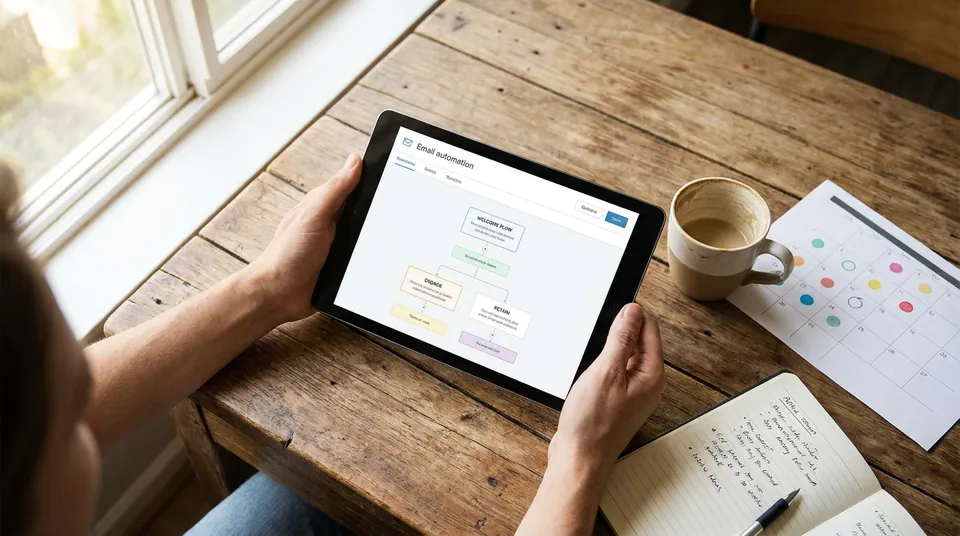
To build a resilient retention framework, organizations should deploy five specialized email sequences. Each workflow targets a distinct phase in the subscriber lifecycle and addresses specific psychological and behavioral friction points.
1. The Onboarding & Initial Activation Sequence
Retention begins on day one. The initial onboarding sequence determines whether a new subscriber experiences rapid "time-to-value" or quickly drops off. If users do not achieve early success within their first 7 to 14 days, their probability of long-term churn increases exponentially.
- Trigger: New account creation, list subscription, or product sign-up.
- Primary Goal: Guide subscribers to complete their core setup step or primary value metric (e.g., creating their first campaign, importing contacts, or linking a domain).
- Recommended Length: 4 to 6 emails over a 14-day window.
To structure this initial transition effectively, build upon a strategic foundation like a welcome email sequence guide that sets clear expectations and encourages immediate account configuration.
#### Strategic Sequence Blueprint:
- Email 1 (Day 0): Instant welcome, account verification, and single call-to-action to complete setup step 1.
- Email 2 (Day 2): Value-focused tutorial showing how to solve a specific pain point using key platform features.
- Email 3 (Day 5): Case study or customer highlight demonstrating real-world results achieved by similar users.
- Email 4 (Day 8): Targeted check-in for users who have not yet completed primary setup, offering quick setup assistance or documentation.
- Email 5 (Day 12): Invitation to a live group demo, Q&A office hours, or personalized onboarding call.
2. The Behavioral Milestone & Feature Adoption Sequence
Once a user completes basic onboarding, retention depends on continuous feature adoption. If a customer only uses 10% of your platform's capabilities, they remain highly vulnerable to lower-cost competitors or budget cuts.
- Trigger: Specific feature usage thresholds (e.g., reaching 1,000 subscriber sends) or non-usage of secondary tools after 30 days.
- Primary Goal: Expand feature usage, drive habits, and increase product stickiness.
- Recommended Length: 2 to 3 targeted emails per feature milestone.
By setting up precise behavioral email triggers, marketing teams can automatically detect when users plateau in usage and send contextual tips right when they are most relevant.
- Topic: [User Hits Benchmark: e.g. 5,000 Emails Sent] v [Trigger Automated Milestone Email]
- Details: [User Opens/Clicks] [User Ignores Email] v v [Offer Advanced Workflow] [Send Short…
#### Strategic Sequence Blueprint:
- Email 1 (Immediate Post-Event): Milestone celebration email ("You've hit 5,000 sends! Here's what to do next").
- Email 2 (3 Days Later): Proactive introduction to a complementary feature (e.g., "Now that you're sending regularly, set up automated list validation").
- Email 3 (7 Days Later): Advanced playbook or template pack designed to save time on recurring tasks.
3. The Proactive At-Risk & Inactivity Warning Sequence
Waiting until a customer officially submits a cancellation request is often too late. Proactive retention workflows identify early indicators of disengagement—such as a 30-day drop in login frequency or zero email opens across four consecutive campaigns—and trigger automated intervention.
- Trigger: Inactivity threshold reached (e.g., 21–30 days without login or email interaction).
- Primary Goal: Re-ignite interest, identify hidden friction, and prompt a return to active product usage.
- Recommended Length: 3 emails spaced 4 to 5 days apart.
#### Strategic Sequence Blueprint:
- Email 1 (Day 21 Inactive): Friendly check-in ("We noticed you haven't logged in recently—need help with your current project?").
- Email 2 (Day 26 Inactive): Highlight recent product updates, new templates, or popular features added since their last visit.
- Email 3 (Day 30 Inactive): Personal invitation to schedule a 1-on-1 account review or consultation with customer success.
4. The Subscription Renewal & Payment Recovery (Dunning) Sequence
Involuntary churn occurs when active, satisfied customers lose access due to expired credit cards, failed bank charges, or outdated billing details. A structured payment recovery (dunning) sequence recovers up to 70% of failed subscription renewals without human intervention.
- Trigger: Upcoming annual renewal (30 days prior) or failed payment processing event.
- Primary Goal: Secure uninterrupted billing details and prevent service suspension.
- Recommended Length: 4 emails over 14 days following a billing failure.
#### Strategic Sequence Blueprint:
- Pre-Renewal Email (30 Days Before Annual Bill): Clear notice of upcoming renewal with transparent invoice terms and direct link to update payment methods.
- Dunning Email 1 (Day 0 Failure): Polite notification of payment processing issue with direct link to update billing info.
- Dunning Email 2 (Day 3 Post-Failure): Gentle reminder emphasizing uninterrupted service access and data retention policies.
- Dunning Email 3 (Day 7 Post-Failure): Urgency-driven warning detailing upcoming account suspension status.
- Dunning Email 4 (Day 14 Post-Failure): Final notice of account restriction with simple 1-click reactivation instructions.
5. The Win-Back & Re-Engagement Campaign
When subscribers remain completely dormant for 60 to 90 days despite proactive warnings, they enter the final retention phase: the win-back campaign. This sequence makes a last compelling effort to reactivate the user before transitioning them to an automated sunset policy.
- Trigger: 60 to 90 days of total inactivity across web app and email channels.
- Primary Goal: Secure explicit re-engagement, offer compelling incentives, or safely clean unengaged records.
- Recommended Length: 3 emails over 10 days.
Executing structured email re-engagement campaigns ensures that your team actively recaptures valuable customers while protecting sender reputation from dead or unmonitored mailboxes.
#### Strategic Sequence Blueprint:
- Email 1 (Day 60 Inactive): Direct re-engagement offer ("Is this goodbye? Here's 20% off your next renewal").
- Email 2 (Day 65 Inactive): Feedback inquiry ("Help us improve: why did you stop using our platform?").
- Email 3 (Day 70 Inactive): Final opt-in warning ("We're removing inactive accounts next week—click here to stay subscribed").
Step-by-Step Playbook: Designing High-Converting Retention Sequences
Building a world-class customer retention sequence requires systematic planning, proper technical architecture, and precise execution. Follow this 5-step implementation framework to build an automated retention system that lowers churn and maximizes engagement.
Step 1: Map Telemetry & Behavioral Events
Begin by cataloging the exact user telemetry data points that indicate high engagement, milestone completion, or impending disengagement.
- Product Usage Events: Last login timestamp, core feature completion, API key generation, export events, or team seat invitations.
- Email Engagement Metrics: Open rates, click-through rates, preference center updates, and bounce events.
- Billing Events: Card expiration dates, subscription plan tier, renewal dates, and payment processor error codes.
Documenting these events allows your engineering and operations teams to configure clean webhooks and API payloads that keep your email platform synchronized in real time.
Step 2: Define Churn-Risk Audience Segments for Churn Reduction
With event tracking established, construct dynamic subscriber segments inside your email software. Rather than applying static tags, build real-time filters based on rolling behavioral criteria:
| Risk Category | Segment Rules / Trigger Criteria | Primary Goal | Recommended Action | | :--- | :--- | :--- | :--- | | Highly Engaged | Logged in > 3x/week; opened last 5 emails | Upsell & Advocacy | Introduce partner perks, referral program, or beta features | | At-Risk / Slipping | Logged in 1x in last 21 days; email opens down 50% | Feature Re-Activation | Deploy "Need Help?" sequence with short tutorial videos | | Dormant / High Risk | Zero logins in 45 days; zero email clicks in 60 days | Churn Prevention | Send targeted win-back offer or direct feedback inquiry | | Payment At-Risk | Payment failure event; card expires within 15 days | Payment Recovery | Deploy dunning workflow with direct credit card update link |
Using flexible audience segmentation tools ensures subscribers move automatically between risk categories as their engagement levels change.
Step 3: Write High-Intent Messaging & Subject Lines
Retention messaging requires a fundamentally different tone than acquisition copy. High-converting retention emails avoid pushy sales jargon and focus on empathetic, value-driven communication.
#### Proven Subject Line Frameworks for Retention:
- Direct Assistance (At-Risk): "Quick question about your Sendgrove workspace..."
- Milestone Celebration (Engagement): "Congrats! You just reached 10,000 subscriber sends 🎉"
- Billing Urgency (Dunning): "Action Required: Update billing details to keep your campaigns running"
- Incentivized Win-Back (Dormant): "We miss you—here's 30% off your next 3 months"
- Final Notice (Sunset): "Should we close your account?"
#### Copywriting Core Rules:
- Focus on Outcomes, Not Features: Highlight the specific business results the user achieves when using your platform.
- Include a Single Primary Call-to-Action: Avoid distracting readers with multiple competing links. Direct them to complete one primary action per email.
- Keep Copy Scannable: Use concise paragraphs, bulleted lists, and bold callouts to make key points immediately apparent.
Step 4: Configure Branching Logic & Delays
An effective retention sequence adapts dynamically based on reader responses. If a subscriber opens Email 1 and immediately logs back into the platform, the sequence should automatically stop further win-back emails.
- Topic: [Deploy Retention Email 1]
- Details: [User Logs In Within 24h] [No Login After 72h] v v [Exit Retention Workflow] [Deploy Retention Email 2]…
#### Essential Workflow Logic Rules:
- Exit Conditions: Automatically remove subscribers from at-risk or win-back sequences as soon as they complete the target retention goal (e.g., logging in, updating payment info, or clicking a re-activation link).
- Frequency Capping: Ensure subscribers are not enrolled in promotional or newsletter broadcasts while active in high-urgency dunning or win-back workflows.
- Smart Delays: Space re-engagement steps 3 to 5 days apart to give users adequate time to respond without clogging their inboxes.
Step 5: Implement List Health & Real-Time Email Validation Guards
Sending re-engagement sequences to dead, invalid, or abandoned email addresses poses a severe threat to your domain's sender reputation. If an at-risk subscriber's email address has become invalid or turned into a spam trap, attempting to re-engage them will result in hard bounces.
Before launching win-back or re-activation campaigns to long-dormant subscribers, run automated hygiene checks using integrated email validation tools. This ensures that re-engagement messages are sent only to deliverable mailboxes, preserving inbox placement for your active campaigns.
- Validate Before Win-Back: Suppress hard bounces and syntax errors before launching dormant user campaigns.
- Monitor Bounce Thresholds: If hard bounce rates exceed 1% during a win-back campaign, immediately pause the sequence and clean your sub-list.
- Enforce Automated Sunset Policies: If a user remains unengaged after completing your 3-step win-back sequence, automatically unsubscribe or archive them to keep your list clean.
Real-World Retention Email Templates and Case Scenarios
To help you put these frameworks into practice, let me share four battle-tested retention email scenarios with customizable, real-world templates.
Scenario 1: SaaS Feature Adoption Drop-Off
- Situation: A B2B user signed up 14 days ago and completed basic setup, but has not yet configured their automated workflow.
- Goal: Prompt the user to set up their first trigger without sounding pushy or technical.
#### Email Template Copy:
Subject: Sendgrove tip: Automate your first sequence in under 5 minutes
Preheader: Unlock hands-free list management with simple behavioral triggers.
Hi {{first_name}},
When you joined Sendgrove, your goal was simple: save time while keeping your subscriber list healthy and engaged.
We noticed you haven't set up your first automated workflow yet. Designing your first automated trigger takes less than 5 minutes and immediately runs key tasks on autopilot.
Here is a quick 3-step walkthrough to get started:
- Click Automations in your Sendgrove navigation dashboard.
- Select the Welcome Sequence template.
- Add your target audience segment and click Publish.
Create Your First Automation →
If you'd like a quick hand setting this up, just hit reply to this email—our deliverability team is happy to help!
Best regards, The Sendgrove Growth Team
Scenario 2: E-Commerce Repurchase & Loyalty Retention
- Situation: A recurring customer purchased 60 days ago but has not placed a subsequent order within their typical 30-day repurchase window.
- Goal: Re-ignite buying interest with a personalized recommendation and time-sensitive incentive.
#### Email Template Copy:
Subject: {{first_name}}, your favorites are waiting (+ 15% off inside)
Preheader: Restock your favorite essentials before your exclusive discount expires.
Hi {{first_name}},
It's been a little while since your last order, and we want to make sure you're getting the absolute most out of your purchase!
Based on your previous order, we curated three popular items that complement your setup:
- Item A: Ideal for daily maintenance and list optimization.
- Item B: Our top-rated addon for high-volume senders.
- Item C: Quick setup guide to double your results.
To welcome you back, use code RETENTION15 at checkout for 15% off your entire order over the next 48 hours.
Need help choosing the right option? Reply directly to speak with one of our specialists.
Cheers, The Customer Experience Team
Scenario 3: Subscription Dunning & Failed Payment Recovery
- Situation: A customer's recurring monthly subscription charge failed due to an expired card or insufficient funds.
- Goal: Secure updated billing credentials immediately while reassuring the customer that their data and campaign infrastructure remain intact.
#### Email Template Copy:
Subject: Action Required: Update your billing information for Sendgrove
Preheader: We couldn't process your latest renewal payment—update your card to maintain service.
Hi {{first_name}},
We were unable to process your recurring subscription payment for your Sendgrove account on {{billing_date}}.
Don't worry—your account data, custom domains, and automated campaigns remain completely secure. However, to ensure uninterrupted email delivery and access to your dashboard, please update your payment method.
Update Payment Method Securely →
If you believe this was an error by your bank, or if you need an updated invoice, please reach out to our support team right away.
Thank you for being a valued customer, The Sendgrove Billing Team
Scenario 4: Dormant Account Final Sunset Warning
- Situation: A subscriber has zero logins and zero email opens over the past 90 days.
- Goal: Give the subscriber one final chance to remain subscribed, or automatically archive them to preserve deliverability.
#### Email Template Copy:
Subject: Final Notice: Should we close your account?
Preheader: We are cleaning inactive subscriber profiles—confirm if you want to stay.
Hi {{first_name}},
We noticed it's been a while since you logged in or opened our emails. We hate goodbyes, but we respect your inbox and only want to send content you find truly valuable.
If you still want to receive our growth playbooks, deliverability guides, and product updates, please confirm by clicking below:
If you don't click the link within 7 days, we will automatically archive your profile and unsubscribe you from our mailing list. No hard feelings!
If your email marketing needs change in the future, you can re-activate your account anytime at Sendgrove.com.
Best, The Sendgrove Team
Key Retention Metrics and Measurement Framework
To continuously optimize your retention email sequences, you must track both top-line financial metrics and granular email engagement indicators. Without rigorous measurement, it is impossible to determine which workflows drive true re-engagement versus which ones simply speed up unsubscribes.
Core Performance Metrics for Retention Sequences
| Metric Name | Formula / Calculation | Healthy Benchmark | Strategic Importance | | :--- | :--- | :--- | :--- | | Customer Churn Rate | (Cancellations in Period / Total Customers at Start) 100 | < 3% – 5% / month (SaaS) | Measures overall customer loss over a given timeframe. | | Net Revenue Churn | ((MRR Lost - Expansion MRR) / Starting MRR) 100 | < 0% (Net Negative Churn) | Accounts for expansion revenue from retained users upgrading. | | Win-Back Conversion Rate | (Reactivated Users / Total Inactive Enrolled) 100 | 5% – 15% | Evaluates the direct effectiveness of dormant user sequences. | | Dunning Recovery Rate | (Failed Payments Recovered / Total Failed Charges) 100 | 50% – 70% | Measures the dollar impact of automated dunning workflows. | | Active Subscriber Ratio | (Subscribers Active in 60 Days / Total List Size) * 100 | > 65% – 75% | Core health metric ensuring list deliverability and sender reputation. |
By constantly analyzing campaign performance using comprehensive campaign analytics & reporting tools, marketing leads can track these metrics automatically across every automated workflow.
High-Impact A/B Testing Ideas for Retention Workflows
Continuous experimentation ensures your retention sequences maintain maximum conversion efficiency over time. Focus your A/B testing on elements that directly influence reader psychology:
- Incentive Type (Discount vs. Free Credit vs. Bonus Access): Test whether offering a percentage discount (e.g., 20% off) outperforms granting free account credits or unlocked bonus features.
- Sender Name & Persona: Compare emails sent from a generic brand name ("Sendgrove Support") against messages sent directly from a named team member ("Alex at Sendgrove").
- Email Timing & Spacing: Test deploying your first re-engagement email on Day 14 of inactivity versus Day 21 to find the optimal balance between intervention and annoyance.
- Subject Line Framing: Benchmark loss-aversion subject lines ("Don't lose your saved templates") against gain-framed alternatives ("Re-activate now to unlock new templates").
- Plain-Text vs. Designed Templates: Measure whether plain-text style emails generate higher reply rates and inbox placement compared to heavily designed HTML newsletter layouts.
Common Retention Mistakes and How to Avoid Them
Even well-intentioned teams frequently fall into traps that harm retention efforts or damage sender reputation. Watch out for these four common pitfalls:
- Mistake 1: Treating All Churned Users Equally. A power user who churns due to a pricing change requires a completely different win-back angle than a user who signed up and never completed onboarding. Tailor copy to the specific churn reason.
- Mistake 2: Ignoring List Health and Verification. Continuously emailing dormant subscribers without periodic hygiene checks drives up hard bounce rates and risks spam folder placement across your active audience.
- Mistake 3: Over-Automating Without Human Escalation. If a high-tier enterprise client enters a dunning sequence, automated emails should be paired with an alert to their dedicated Customer Success Manager.
- Mistake 4: Hiding Unsubscribe and Preference Controls. Obscuring unsubscribe buttons in win-back emails increases spam complaints. Always make opt-out controls clear and accessible.
Protecting Deliverability with Built-In Validation Guards
To safeguard your sender score, always pass unengaged segments through real-time verification before sending a single win-back email. Running pre-send checks using built-in email validation tools removes risky addresses automatically.
This is where Sendgrove's unified email marketing and validation platform provides a distinct operational advantage:
- Integrated List Scrubbing: Clean your subscriber lists directly within your campaign dashboard without exporting CSV files to third-party tools.
- Credit-Based Flexibility: Validate list segments seamlessly using Sendgrove's transparent credit system—where 1 credit equals 1 email validation—ensuring you only pay for what you verify.
- Automated List Maintenance: Set up rules to automatically suppress addresses flagged as high-risk, role-based, or invalid before they enter your retention workflows.
By combining audience segmentation, real-time list cleaning, and automated email sequences in one unified platform, growth teams can execute high-ROI retention campaigns with absolute deliverability confidence.
Retention Campaign Deliverability: Spam Traps, Engagement Thresholds, and ISP Feedback Loops
Sending re-engagement or win-back campaigns to dormant subscribers carries an inherent deliverability risk. Because inactive accounts have not opened or clicked an email in months, mailbox providers (such as Gmail, Yahoo, and Outlook) scrutinize these broadcasts heavily. If an unengaged list segment contains spam traps or dead mailboxes, your entire domain's inbox placement can suffer.
Understanding ISP Engagement Thresholds and Sunset Policies
Major mailbox providers use subscriber engagement as a primary filter for inbox placement. When a subscriber stops interacting with your messages, mailbox algorithms gradually downgrade your sender reputation across three key threshold phases:
- The Cooling Phase (30 to 60 Days Inactive): Subscribers show declining opens. Inbox placement remains high, but engagement signals drop. This is the optimal window to launch subtle feature adoption and educational sequences.
- The Risk Phase (60 to 120 Days Inactive): Unopened messages accumulate. Algorithms begin shifting emails to the Promotions tab or secondary folders. Win-back workflows should be deployed here with strong value incentives.
- The Sunset Phase (120+ Days Inactive): The risk of hitting recycled spam traps increases significantly. Addresses that do not respond to a final 3-step win-back sequence must be moved to an automated sunset segment or archived permanently.
Implementing automated sunset policies ensures that unengaged addresses are removed before they harm deliverability for your active, revenue-generating customer segments.
Pre-Launch Deliverability Checklist for Win-Back Workflows
Before launching high-volume re-engagement campaigns, execute a comprehensive deliverability protocol:
- Verify Domain Authentication: Ensure your SPF, DKIM, and DMARC records are correctly aligned and published in your DNS settings.
- Scrub Inactive Segments: Run your dormant subscriber list through Sendgrove's built-in email validation engine to filter out invalid addresses and high-risk mailboxes.
- Review Pre-Send Protocols: Follow a structured pre-send email campaign checklist to verify link tracking, personalization tags, and opt-out mechanics.
- Monitor ISP Feedback Loops: Track spam complaint rates and unsubscribe callbacks in real time using Sendgrove's analytics and reporting dashboard.
By pairing strict engagement thresholds with pre-send list cleaning, marketing teams can aggressively pursue customer retention without putting domain deliverability at risk.
Technical Architecture: Webhooks, Event Telemetry, and ESP Integration
Executing timely retention email sequences requires strong technical infrastructure behind your marketing campaigns. Rather than relying on nightly batch syncs or static contact lists, high-performing email operations connect user activity telemetry directly to automated workflows via webhooks and REST APIs.
Configuring Event Telemetry and Real-Time Webhooks
To trigger behavioral emails instantly when a user exhibits churn risk or hits an activation roadblock, your application must capture user telemetry and emit event payloads to your ESP.
{
  "event": "account_inactivity_warning",
  "timestamp": "2026-03-28T14:32:00Z",
  "user": {
    "email": "user@example.com",
    "account_id": "act_884920",
    "plan_tier": "pro_monthly",
    "days_inactive": 14,
    "last_feature_used": "export_csv"
  },
  "metrics": {
    "team_seats_active": 1,
    "total_seats_purchased": 5,
    "usage_percentage": 20
  }
}
When an event payload like the one above arrives via API into your email marketing automation system, your automation engine evaluates current segment membership and determines the appropriate messaging path:
- Event Ingestion: The ESP ingests the webhook payload and matches the
account_idoremailto the contact database. - Rule Evaluation: Automation logic checks if the subscriber meets conditions (e.g.,
days_inactive >= 14ANDusage_percentage < 30). - Suppress & Validate: Before deploying the first message, automated hygiene protocols verify the recipient address status to prevent hard bounces on stale accounts.
- Workflow Execution: The subscriber enters the corresponding retention sequence, starting with an educational nudge or feature spotlight.
Connecting telemetry to your email workflows ensures messages arrive while user context is fresh, dramatically increasing re-engagement rates.
ESP Architecture: Syncing Contact State and Lifecycle Stages
Maintaining accurate contact state across your tech stack prevents embarrassing email misfires—such as sending a win-back discount to a user who just upgraded their plan.
- Bi-Directional State Sync: Ensure custom fields (such as
lifecycle_stage,last_login_date, andchurn_risk_score) sync in real time between your CRM, database, and marketing automation platform. - Idempotent Webhook Handlers: Configure your ESP webhook endpoints to handle duplicate events gracefully, preventing double-sending during server retries.
- Unified Event Logs: use comprehensive email analytics and reporting tools to monitor delivery events, open signals, click conversions, and unsubscribe callbacks in a centralized dashboard.
Industry-Specific Retention Strategies: B2B SaaS vs. E-Commerce vs. Digital Subscriptions
While the underlying mechanics of retention email sequences apply universally, execution details vary significantly depending on your business model. SaaS platforms focus heavily on product adoption, e-commerce brands optimize for repeat purchase intervals, and digital subscription services manage recurring billing cycles.
Retention Strategy Matrix Across Business Models
| Retention Dimension | B2B SaaS & Tech | E-Commerce & Retail | Digital Subscriptions & Media | | :--- | :--- | :--- | :--- | | Primary Churn Signal | Drop in seat usage / missing key features | Exceeding average order interval / low engagement | Unopened newsletter digests / skipped content | | Trigger Mechanism | Usage telemetry & API webhooks | Order frequency & browse behavior | Content preference & login frequency | | Core Sequence Goal | Drive feature adoption & multi-seat invites | Re-order incentives & loyalty tier progression | Content habituation & preference updates | | Key Messaging Angle | Workflow efficiency & ROI proof | Exclusive discounts & product recommendations | Curated highlights & member-only perks | | Deliverability Safeguard | Automated list verification prior to win-back | Pre-send list scrubbing before seasonal sales | Continuous hygiene checks on inactive digests |
Tailoring Retention Workflows for B2B SaaS
In B2B SaaS, customer retention is closely linked to team-wide feature adoption. When multi-seat accounts show declining login activity, automated retention workflows must target both end-users and account administrators:
- Executive Summary Digests: Send monthly ROI digests to account owners highlighting team productivity gains, total reports generated, or tasks completed.
- Team Expansion Nudges: Trigger automated suggestions when an account approaches seat capacity, offering frictionless upgrades or administrative management tips.
- Proactive CSM Alerts: For enterprise accounts, pair automated re-engagement emails with internal webhooks that notify Customer Success Managers when usage drops below predefined thresholds.
Tailoring Retention Workflows for E-Commerce and Retail
E-commerce retention sequences focus on turning one-time buyers into repeat brand advocates. Rather than relying solely on blast discounts, high-performing retail brands structure automated flows around customer lifecycle milestones:
- Predictive Replenishment Cycles: Calculate average product consumption cycles (e.g., 30 days for skincare or supplements) and trigger automated re-order reminders 5 days before replenishment is needed.
- VIP Loyalty Progression: Automatically segment high-LTV buyers using advanced audience segmentation features, unlocking early access to new product drops or double loyalty points.
- Browse Abandonment Recovery: Send subtle, helpful reminders when logged-in customers view product categories multiple times without completing a purchase.
Before executing high-volume e-commerce win-back campaigns or seasonal re-engagement blasts, conduct an email marketing audit and run your list through verification to maintain high inbox placement.
FAQ
What is a good customer retention email open rate?
A healthy open rate for targeted retention emails ranges between 30% and 45% for active onboarding and feature adoption sequences, and 12% to 22% for dormant win-back sequences. Because win-back campaigns target disengaged subscribers, lower open rates are expected, but click-through rates and account re-activations remain the primary benchmarks of success.
How often should you send retention emails to disengaged users?
For disengaged or at-risk subscribers, space retention emails 3 to 5 days apart. A standard win-back sequence consists of 3 targeted emails deployed over a 10-to-14-day window. Avoid sending daily re-engagement messages, as excessive frequency increases spam complaints and accelerates permanent unsubscribes.
What is the difference between voluntary and involuntary churn?
Voluntary churn occurs when a customer intentionally cancels their account or subscription. Involuntary churn occurs when a customer loses access unintentionally due to expired payment cards, billing gateway processing errors, or bank declines. Retention email sequences address voluntary churn through feature nudges and value messaging, while payment recovery (dunning) sequences resolve involuntary churn.
Should I delete users who do not respond to a win-back campaign?
Yes. If a subscriber does not open, click, or log in after completing your 3-step win-back sequence, you should automatically unsubscribe or archive them. Retaining permanently disengaged addresses inflates your sending costs, drags down engagement metrics, and risks sending signals to mailbox providers that harm your inbox placement.
How many emails should be in a payment recovery (dunning) sequence?
A standard payment recovery sequence includes 3 to 4 emails deployed over a 14-day period following a failed charge. Deploy the first notification immediately upon payment decline, followed by gentle reminders on Day 3 and Day 7, and a final account restriction warning on Day 14.
Can retention email sequences be automated for B2B and E-Commerce?
SaaS platforms trigger retention sequences based on login events, onboarding steps, and feature telemetry, while e-commerce brands automate workflows around order frequency, replenishment intervals, and loyalty milestones. Both models rely on dynamic audience segmentation and automated event workflows using platforms like Sendgrove.
How does list hygiene improve retention email performance?
Running automated list verification before launching win-back campaigns filters out hard bounces, spam traps, and invalid mailboxes. Removing risky addresses protects your domain reputation, ensuring your retention messages land directly in the Primary inbox of engaged subscribers.
What tools are required to build automated retention email workflows?
Building effective retention workflows requires an integrated email marketing automation platform with real-time webhooks, flexible audience segmentation, automated sequence builders, and built-in list validation. Combining these features in Sendgrove eliminates the friction of managing separate scrubbing services or complex multi-tool integrations.
How do you measure the ROI of a customer retention email campaign?
Calculate retention email ROI by tracking re-activated MRR (Monthly Recurring Revenue), saved subscription value, and win-back conversion rates against campaign execution costs. Retaining existing customers typically yields 5x to 25x higher returns than acquiring new buyers through paid advertising channels.