Blog
How to Build an Abandoned Cart Email Sequence (Examples + Strategy)
Recover 15–25% of lost e-commerce revenue with our step-by-step abandoned cart email sequence guide. Includes copy templates, timing matrices, and setup tips.

> TL;DR: An abandoned cart email sequence is an automated series of 3 to 4 targeted messages triggered when a shopper adds products to an e-commerce cart but leaves before completing checkout. Sending Email 1 within 30–60 minutes, Email 2 at 24 hours (with social proof), and Email 3 at 48 hours (with a timed incentive) typically recovers 15% to 25% of lost revenue. Integrating real-time email validation at checkout with targeted behavioral triggers ensures high inbox placement and consistent cart recovery.
Last updated: July 2026
An abandoned cart email sequence is one of the highest-ROI automated workflows available to digital marketers and e-commerce store owners. Across retail, SaaS, and direct-to-consumer (DTC) brands, roughly 70% of online shopping carts are abandoned before purchase. Without an automated recovery system, those high-intent leads represent lost revenue and wasted acquisition ad spend.
By setting up a structured, behavior-driven sequence, you re-engage interested shoppers while their buying intent is still fresh. This guide covers the exact timing, messaging blueprints, segmentation tactics, and deliverability setups needed to build a high-performing cart recovery engine.
What Is an Abandoned Cart Email Sequence?
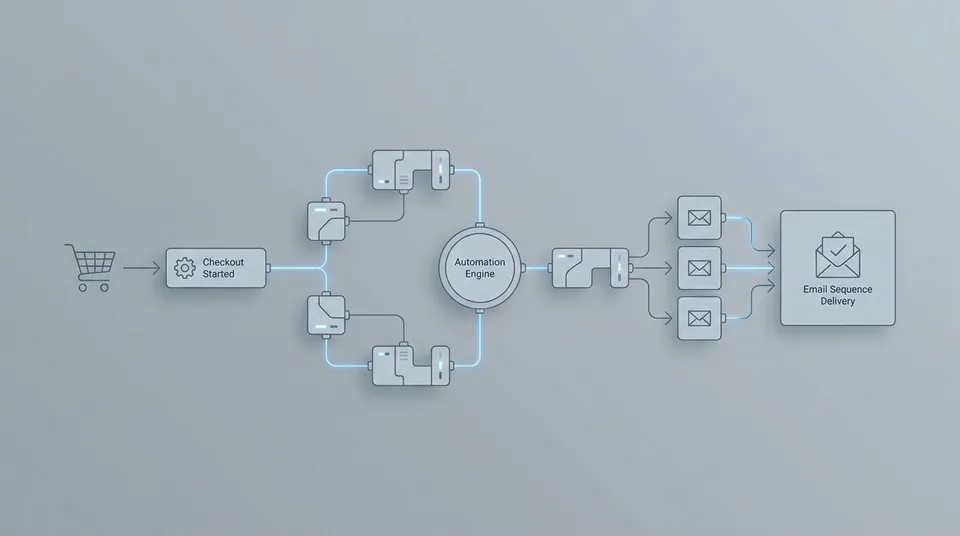
An abandoned cart email sequence is an event-driven series of automated marketing emails sent to customers who add items to an online cart, begin the checkout process, but navigate away without finalizing their payment.
Unlike broadcast newsletter blasts, abandoned cart emails are triggered by individual user behavior. When a visitor enters their email address at checkout—or logs into an existing account—and subsequently leaves the site, your customer data platform or email service provider logs a checkout_started event without a corresponding order_completed event.
Why Shoppers Abandon Carts
To recover abandoned carts effectively, you must first understand why shoppers leave before paying. According to industry benchmark studies, the primary drivers of cart abandonment include:
- Unexpected Extra Costs: Unanticipated shipping fees, taxes, or service charges added at final checkout.
- Forced Account Creation: Friction-heavy checkout flows that require lengthy registration rather than guest checkout.
- Comparison Shopping: Customers using the cart as a temporary wishlist while checking competitor pricing or searching for promo codes.
- Complex Checkout UX: Clunky mobile forms, payment gateway errors, or limited payment options.
- Distraction: External interruptions that cause the shopper to close the browser tab before completing payment.
Recognizing these underlying friction points allows you to tailor each email in your sequence to address specific customer objections rather than relying solely on generic discount codes.
The Ideal 4-Email Abandoned Cart Sequence (Timing & Blueprint)
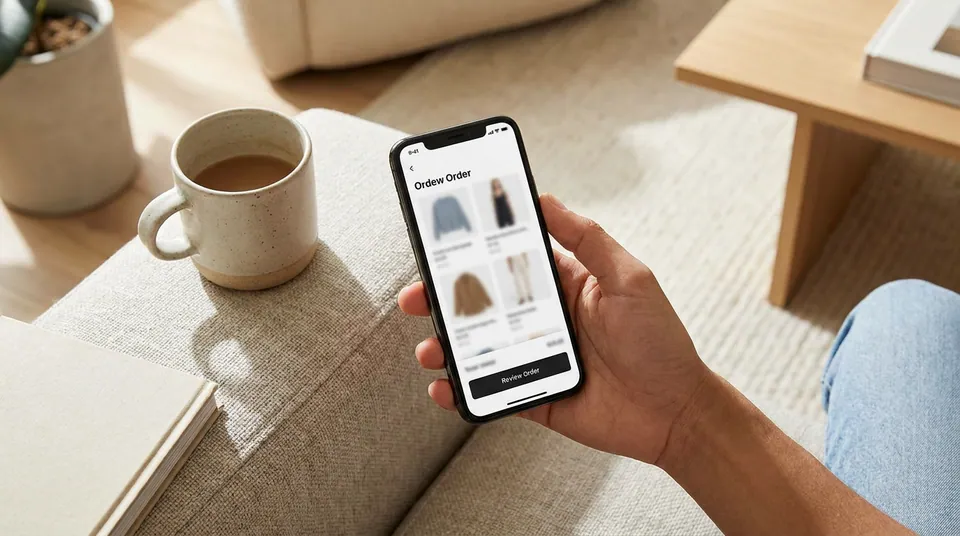
Sending a single abandoned cart email recovers a fraction of potential sales. A multi-step sequence that strategically escalates urgency and value recovers significantly more revenue without overwhelming your subscriber list.
Below is the proven 4-email sequence framework used by top-performing e-commerce brands.
Email 1: The Helpful Customer Service Reminder (30–60 Minutes Post-Abandonment)
The first email should feel like a helpful customer service touchpoint rather than a pushy sales pitch. At this stage, the shopper’s intent is extremely high, and the interruption may have been purely accidental.
- Primary Goal: Remind the shopper of their saved cart and resolve potential technical friction.
- Optimal Timing: 30 to 60 minutes after abandonment. Sending sooner than 20 minutes can feel intrusive, while waiting longer than 2 hours drastically reduces open and conversion rates.
- Key Content Elements: High-resolution product images of the items left behind, clear item descriptions, direct cart restoration link, and an invitation to contact customer support if they encountered checkout errors.
- Incentive: No discount offered. Rely on helpfulness and product desire.
Email 2: Social Proof & Objection Handling (24 Hours Post-Abandonment)
If the shopper does not purchase after the initial reminder, their primary hesitation is often trust, price uncertainty, or product doubts. Email 2 addresses these reservations directly using social proof and reassurance.
- Primary Goal: Overcome hesitation by establishing product credibility and brand trust.
- Optimal Timing: Exactly 24 hours after abandonment (matching the shopper’s time-of-day availability).
- Key Content Elements: Customer reviews, star ratings, user-generated photos, money-back guarantees, free shipping threshold notes, and return policy highlights.
- Incentive: Soft incentives only (e.g., highlighting free shipping or money-back trial periods).
Email 3: Time-Sensitive Incentive or Discount (48 Hours Post-Abandonment)
For price-sensitive shoppers, Email 3 introduces a compelling incentive to push them across the purchase line.
- Primary Goal: Convert price-sensitive abandoners with a financial incentive.
- Optimal Timing: 48 hours after abandonment.
- Key Content Elements: A percentage discount (e.g., 10–15% off) or free shipping code, an explicit expiration window (e.g., "Valid for the next 24 hours"), and dynamic cart pricing reflecting the discount.
- Incentive: Percentage discount, fixed dollar savings, or a free gift with purchase.
Email 4: Last Chance & Expiry Reminder (72 Hours Post-Abandonment)
The final email in the sequence leverages scarcity and loss aversion before the cart is cleared or the discount code expires.
- Primary Goal: Prompt immediate action through true scarcity and final deadline notification.
- Optimal Timing: 72 hours after abandonment (24 hours after Email 3).
- Key Content Elements: Urgent subject line, clear deadline countdown, notice that inventory is limited or cart items will be released, and final CTA button.
- Incentive: Final reminder of the Email 3 discount code before expiration.
Sequence Timing & Strategy Matrix
The table below summarizes the timing, objectives, and content strategy across the 4-stage cart recovery sequence:
| Stage | Optimal Delay | Core Objective | Incentive Offered | Primary Call-to-Action | | :--- | :--- | :--- | :--- | :--- | | Email 1 | 30–60 Minutes | Helpful cart reminder & support check | None | "Return to Your Cart" | | Email 2 | 24 Hours | Build trust & social proof | Free shipping threshold / Risk-free guarantee | "Read Reviews & Complete Order" | | Email 3 | 48 Hours | Overcome price friction | 10%–15% Off or Free Gift | "Claim Your 10% Discount" | | Email 4 | 72 Hours | Scarcity & final deadline | Final discount reminder | "Complete Order Before Code Expires" |
7 High-Converting Abandoned Cart Email Subject Lines
Subject lines determine whether your recovery emails are opened or ignored. The highest-converting subject lines balance clarity, personalization, and helpful curiosity without resorting to spam-trigger words or deceptive clickbait.
Here are 7 proven subject line formulas categorized by strategy:
1. The Direct & Helpful Reminder
- Example: "Did you forget something in your cart, [First Name]?"
- Why It Works: Friendly, personal, and immediately signals the email purpose without sales pressure.
2. The Customer Support Approach
- Example: "Was there a problem with your order at [Brand Name]?"
- Why It Works: Frames the email as technical assistance, encouraging responses from shoppers who experienced checkout errors or payment friction.
3. The Social Proof Angle
- Example: "See why shoppers love the [Product Name] in your cart"
- Why It Works: Highlights specific product desirability and leverages third-party validation to build buyer confidence.
4. The Soft Incentive Reveal
- Example: "Good news: We saved your cart (+ 10% off inside)"
- Why It Works: Pairs positive cart reservation news with an explicit financial perk to boost open rates on Email 3.
5. The Low-Stock Urgency Trigger
- Example: "Items in your cart are selling out fast"
- Why It Works: Taps into natural FOMO (fear of missing out) when product stock is legitimately fluctuating.
6. The Urgency & Expiration Angle
- Example: "Your saved cart expires in 24 hours"
- Why It Works: Establishes a firm deadline, compelling hesitant shoppers to make a final decision.
7. The Playful Brand Voice
- Example: "Your cart is lonely... let us fix that!"
- Why It Works: Humanizes the brand voice for lifestyle, apparel, or consumer goods audiences where personality drives engagement.
How to Set Up an Abandoned Cart Automation Workflow
Building an automated cart recovery sequence requires direct integration between your e-commerce storefront (e.g., Shopify, WooCommerce, custom API) and your email platform.
Step 1: Implement E-Commerce Event Tracking
Your store must emit two key webhook events to your email provider:
checkout_started: Fired when a customer inputs their email address and proceeds past step one of checkout.order_completed: Fired when the payment gateway confirms a successful transaction.
When checkout_started is logged, the customer enters the abandoned cart flow. If an order_completed event is received before an email scheduled delay, the contact is automatically removed from the workflow.
Step 2: Validate Contact Emails at Checkout
One of the most frequent causes of deliverability failure in cart recovery programs is invalid or misspelled email addresses collected at checkout. When users misspell their email address (e.g., user@gmial.com or john@yahooo.com), automated sequences attempt to deliver messages to non-existent mailboxes, generating hard bounces that damage your sender domain reputation.
By implementing real-time email validation directly at the checkout input form or upon webhook ingestion, you automatically verify email syntax, MX records, and inbox deliverability before entering contacts into automated sequences. This keeps hard bounce rates well under 1% and ensures high inbox placement across major mailbox providers like Gmail and Yahoo.
Step 3: Configure Workflow Delay Triggers in Sendgrove
Inside Sendgrove's automated email workflow engine, you can build multi-step trigger paths using intuitive visual nodes:
- Trigger Node: Set event to
Checkout Started. - Filter Condition: Ensure
Order Completedis false and contact is opted-in. - Delay Node 1: Set delay to
45 Minutes. - Action Node 1: Send Email 1 (Reminder).
- Delay Node 2: Set delay to
23 Hours. - Action Node 2: Send Email 2 (Social Proof).
- Delay Node 3: Set delay to
24 Hours. - Action Node 3: Send Email 3 (10% Discount).
- Delay Node 4: Set delay to
24 Hours. - Action Node 4: Send Email 4 (Final Expiration).
For a deeper dive into configuring event-driven automation rules, explore our comprehensive behavioral email triggers guide.
Advanced Segmentation & Personalization for Cart Recovery
Treating all cart abandoners identically leads to lower conversion rates and wasted discount margin. High-performing e-commerce brands segment their abandoned cart workflows based on customer value, cart contents, and purchase history.
1. High-Value vs. Low-Value Cart Segmentation
Divide cart abandoners into distinct paths based on total cart dollar value:
- Low-Value Carts (< $50): Focus on automated, low-touch reminders. Avoid offering heavy discounts that eat into narrow product margins. Instead, emphasize free shipping thresholds or complimentary add-on accessories.
- High-Value Carts (> $200): Direct high-ticket abandoners into a premium VIP recovery sequence. Offer immediate, higher-value incentives (e.g., 15% off or a free gift) or route the cart details directly to a live customer support representative for personalized outreach.
Applying effective email list segmentation strategies ensures that discount incentives are allocated strategically where they maximize net profit.
2. First-Time Visitors vs. Returning VIP Customers
- First-Time Prospects: Require trust-building assets. Include company origin stories, founder messages, brand mission statements, and comprehensive return policies in Email 2.
- Returning VIP Buyers: Already trust your product quality. Skip brand introductions and focus instead on dynamic recommendations based on their past purchase history or loyalty reward balance.
3. Dynamic Product Recommendations & Inventory Alerts
Enhance your recovery emails by dynamically injecting related products, complementary accessories, or real-time inventory warnings (e.g., "Only 3 units remaining in your size"). Using Sendgrove's flexible email marketing platform and dynamic template engine, you can personalize cart contents, prices, and images for every recipient automatically.
Common Pitfalls That Destroy Cart Recovery Deliverability
Even the best-written copy will fail if your emails land in the spam folder or promotions tab. Avoid these five common pitfalls when deploying your cart recovery automation:
1. Sending Email 1 Too Late
Waiting 4 or 6 hours to send Email 1 allows buying intent to cool down significantly. Shoppers may purchase from a competitor or forget about the product entirely. Stick strictly to the 30–60 minute window for optimal conversion.
2. Training Buyers to Expect Discounts
If every abandoner receives a 20% discount code within 2 hours, repeat customers will intentionally add items to their cart and wait for the automated coupon. Save discounts for Email 3 (48 hours) and vary incentive types periodically.
3. Neglecting List Cleaning & Spam Traps
Accumulating unverified checkout emails leads to high bounce rates and potential spam trap hits. Ensure your account is backed by clean sending infrastructure. Review Sendgrove pricing plans to use credit-based email validation alongside your monthly email sending allotment.
4. Over-Messaging Active Buyers
Failing to remove contacts immediately upon purchase leads to embarrassing situations where a customer receives an "You left items behind!" email after completing their order. Verify that your order_completed webhook suppression filter is active across all workflow steps.
5. Weak Authentication & Domain Setup
Cart recovery emails sent from unauthenticated subdomains often trigger aggressive spam filters. Ensure your domain has valid SPF, DKIM, and DMARC DNS records configured before launching automated sequences.
Frequently Asked Questions (FAQ)
What is the average recovery rate for an abandoned cart email sequence?
The average recovery rate for a multi-step abandoned cart email sequence ranges between 10% and 25%, depending on industry, product price point, and sequence length. Sequences combining 3 to 4 emails typically recover double the revenue of single-reminder emails.
Should I offer a discount in the very first abandoned cart email?
No. Offering a discount in Email 1 is unnecessary and hurts profit margins. Research shows that over 40% of cart abandoners in the first hour left due to minor distractions or technical interruptions and will complete their purchase with a simple reminder. Reserve discounts for Email 3 (48 hours post-abandonment).
How soon should the first abandoned cart email be sent?
The first abandoned cart email should be sent 30 to 60 minutes after the cart is abandoned. Sending within this window catches the shopper while their buying intent is still high and product interest is fresh.
What is the difference between cart abandonment and browse abandonment?
- Cart Abandonment: Triggered when a user explicitly adds an item to their shopping cart and enters the checkout flow but leaves before paying.
- Browse Abandonment: Triggered when a identified subscriber views product pages or category pages without adding items to their cart. Browse abandonment sequences generally have softer, recommendation-focused copy.
How do I prevent fake email entries from damaging my cart sequence deliverability?
Implement real-time email verification at the checkout input form or upon webhook API ingestion. Real-time verification detects typos, disposable domains, and syntax errors instantly, blocking invalid contacts before automated sequence triggers fire.
E-Commerce Platform Setup Guides (Shopify, WooCommerce, Custom API)
Connecting your e-commerce platform to Sendgrove takes only a few minutes. Below are step-by-step setup guides for the three most common store architectures:
1. Shopify Integration Setup
Shopify automatically emits checkout events via native webhooks. To connect Shopify to Sendgrove:
- Navigate to your Shopify Admin -> Settings -> Notifications -> Webhooks.
- Create a webhook for
Checkout CreationandCheckout Update. - Set the Callback URL to your Sendgrove webhook receiver endpoint (
https://mail.sendgrove.com/api/v1/webhooks/shopify). - Select JSON as the format and save. Sendgrove will automatically capture customer email addresses, cart items, product images, and total cart value.
2. WooCommerce Integration Setup
For WordPress and WooCommerce stores:
- Install the official Sendgrove WordPress plugin or use a webhook integration tool like Zapier or Make.
- Under WooCommerce -> Settings -> Advanced -> Webhooks, add a new webhook named "Abandoned Cart Trigger".
- Map the event to
Draft Order CreatedorCheckout Draft Created. - Enable real-time email verification on the WooCommerce checkout form settings to validate guest emails before saving cart drafts.
3. Custom API & Headless E-Commerce Integration
For custom React, Next.js, or headless e-commerce storefronts, send event payloads directly to the Sendgrove Events API:
{
  "event_name": "checkout_started",
  "contact_email": "customer@example.com",
  "cart_value": 149.99,
  "currency": "USD",
  "cart_items": [
    {
      "product_id": "prod_101",
      "title": "Ergonomic Desk Chair",
      "price": 149.99,
      "image_url": "https://cdn.example.com/chair.jpg",
      "quantity": 1
    }
  ],
  "checkout_url": "https://store.example.com/checkout?token=xyz123"
}
When an order is completed, fire the corresponding payload to suppress active workflows:
{
  "event_name": "order_completed",
  "contact_email": "customer@example.com",
  "order_id": "ord_9901"
}
Real-World Case Studies & Performance Benchmarks
Examining how successful online brands structure their cart recovery sequences provides actionable benchmarks for your own store.
Case Study 1: Direct-to-Consumer Apparel Brand (Recovering 18.4% of Lost Sales)
A DTC apparel brand generating $120,000 in monthly revenue noticed a 74% cart abandonment rate during peak seasonal campaigns.
- The Problem: The brand was relying on a single, generic email sent 12 hours after abandonment with a flat 15% discount. This resulted in low open rates (21%) and eroded profit margins on early buyers.
- The Strategy: The brand restructured its workflow into a 4-email sequence using Sendgrove. Email 1 (45 mins) offered customer support without discounts; Email 2 (24 hours) displayed Instagram customer reviews and sizing guides; Email 3 (48 hours) offered 10% off; Email 4 (72 hours) signaled final code expiry.
- The Results: Cart recovery revenue jumped from $4,200/month to $16,100/month—an overall recovery rate improvement from 6.2% to 18.4%. By withholding discounts until Email 3, the brand preserved $3,800 in monthly net profit margin.
Case Study 2: B2B SaaS Platform (Reducing Trial Checkout Abandonment)
A B2B software company offering annual subscription plans experienced friction during credit card entry.
- The Problem: High numbers of enterprise prospects began the checkout process for annual seats but abandoned at the payment details screen.
- The Strategy: The company deployed a 3-email recovery sequence tailored for B2B. Email 1 (1 hour) asked if the prospect needed a custom invoice or PO approval; Email 2 (24 hours) provided a downloadable ROI calculator and customer case study PDF; Email 3 (72 hours) offered a 15-minute live consultation with a solutions engineer.
- The Results: Trial-to-paid checkout conversion increased by 22%, adding $28,000 in Annual Recurring Revenue (ARR) over a single quarter without offering any price discounts.
Plug-and-Play Cart Recovery Copy Templates
Use these field-tested email copy frameworks as starting templates for your sequence:
Template 1: Helpful Reminder (Email 1 — 30–60 Mins)
> Hi [First Name], > > We noticed you left a few great items behind in your shopping cart at [Brand Name]. > > Did you experience any technical trouble during checkout, or do you have a quick question about sizing, shipping, or returns? > > [Button: Return to My Saved Cart] > > If you need assistance, simply reply directly to this email—our support team is happy to help!
- Subject: Did something go wrong with your cart?
- Body:
Template 2: Social Proof & Reviews (Email 2 — 24 Hours)
> Hi [First Name], > > Still thinking it over? You left the [Product Name] in your cart. > > Here is what verified buyers have to say about it: > > "This exceeded all my expectations! Shipping was fast and customer support was incredible." — Sarah M., Verified Buyer ⭐⭐⭐⭐⭐ > > Plus, every order at [Brand Name] is backed by our 30-day risk-free money-back guarantee and fast climate-neutral shipping. > > [Button: Claim Your Items Now]
- Subject: Here is what others are saying about [Product Name]
- Body:
Template 3: Limited Incentive (Email 3 — 48 Hours)
> Hi [First Name], > > We want to make your decision a little easier. For the next 24 hours, enjoy 10% off your entire cart! > > Use code RECOVER10 at checkout: > > [Button: Apply 10% Discount & Checkout] > > Note: This special promo code will automatically expire in 24 hours.
- Subject: Good news: Here is 10% off your saved cart
- Body:
FAQ
What is the first step for abandoned cart email sequence guide? Start with one audience, one offer or trigger, and one success metric before expanding.
How does email validation help? It removes bad addresses early so campaigns do not burn sender reputation while you grow.
How often should I review performance? Check weekly at first, then monthly once the workflow is stable and metrics are predictable.
When should I suppress or remove contacts? After hard bounces immediately, and after a documented inactive window for chronic non-openers.
Where should automation fit? Automate the repeatable welcome, nurture, or win-back steps so every contact gets consistent follow-up.